What Is a Single-Property Website, and How Do You Use It to Move a South Florida Listing?
By Robert Dangond, founder of South Florida Virtual Tour · November 2026
In short
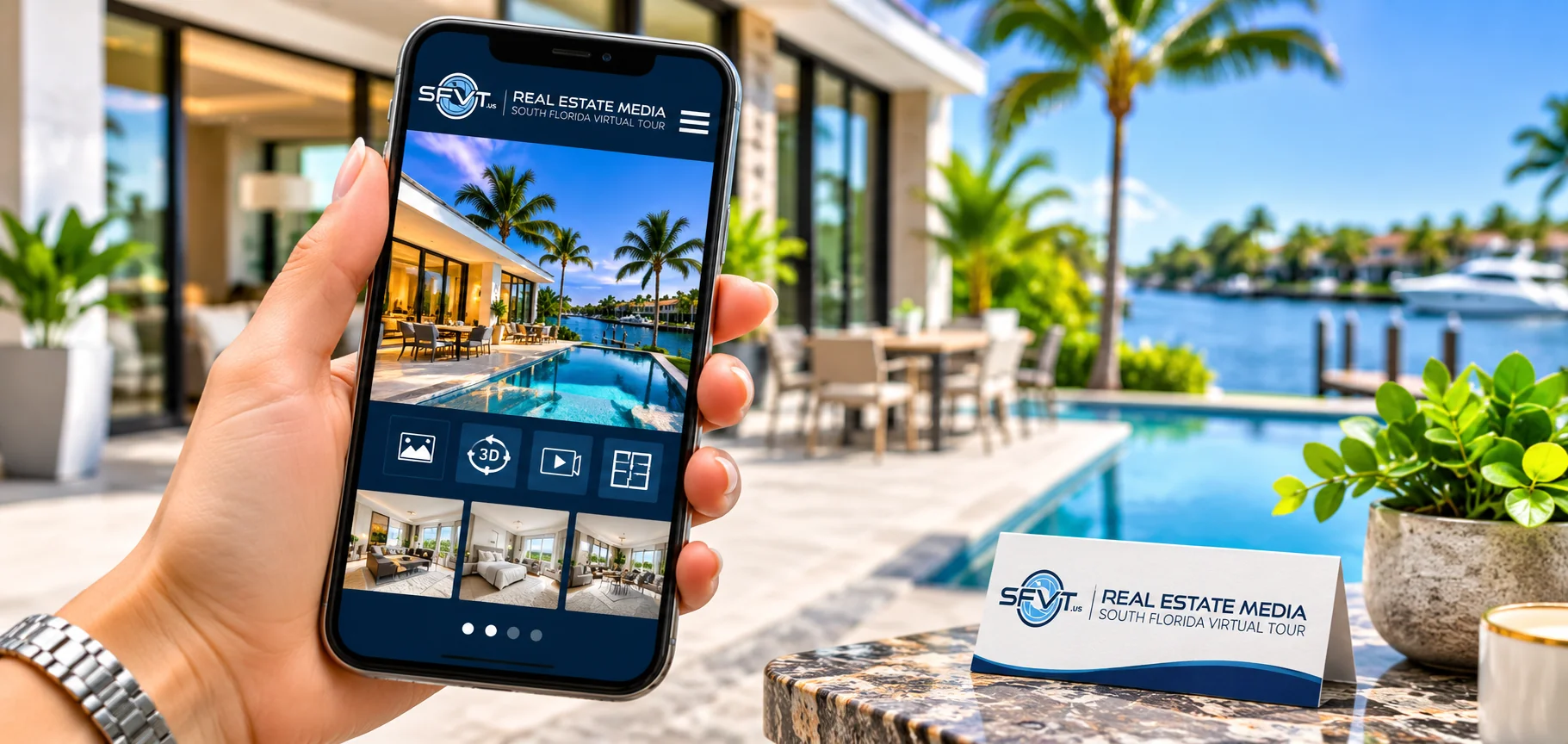
A single-property website is a page built for one home, with its own link, that pulls together the photos, 3D tour, video, floor plan and your contact details.
It lets you send everything as one link: to an out-of-town buyer, to other agents, on social and on the open house flyer.
Under the Miami REALTORS MLS rules (SEFMLS), photos with logos or text can't go into the MLS, and public remarks can't include URLs. So the branded site gets shared outside the MLS.
Visit stats tell you how much interest there is. They don't tell you how many offers are coming.
At SFVT, every photo order already includes the property website.
Picture an agent in Doral who wraps a photo shoot on Monday. On Tuesday, a buyer in Bogotá texts her on WhatsApp asking for "everything you have on the house." She sends 25 loose photos, a link to the 3D tour, the floor plan as a PDF and a video that takes forever to load. The buyer opens two of them and replies: "Can you send it all in one place?"
That's the problem a single-property website solves. One link, everything inside.
What a single-property website is
It's a web page dedicated to one property, with its own link. It brings together what buyers want to see (photos, 3D tour, video, floor plan and description) and carries your name and your brand.
It isn't the portal listing, and it isn't your brokerage's website. No other listings show up next to it, and you decide when to share the link and with whom.
What it should include
Photos in walkthrough order: front, entry, living areas, kitchen, bedrooms, outdoor space. The home reads like a showing, not a photo dump.
The 3D tour and floor plan, if you have them. They help most with buyers who can't come in person.
The video, if there is one.
The basics: price, beds, baths, square footage and neighborhood.
Your contact info and branding: name, phone, email and brokerage logo.
A layout that works on a phone. That's where almost everyone who gets it on WhatsApp or by text will open it.
Why buyers find it useful
In the 2025 NAR Profile of Home Buyers and Sellers (purchases from July 2024 to June 2025), 81% of buyers who searched online rated photos very useful, 57% said the same about floor plans and 38% about virtual tours.
A single-property site puts all three in the same place. The buyer doesn't have to ask you for the floor plan separately or dig through last week's email for the tour link.
Where you can share it, and where you can't: MLS rules
This is where the rules matter. The Southeast Florida MLS (SEFMLS) rules, run by Miami REALTORS (version last updated November 14, 2024) say two things that matter here:
Section 15.1.12: photos with watermarks, logos, text or other branding can't be entered into the MLS under any circumstances.
Section 15.1.27: public remarks can't include contact information or website URLs.
In practice, clean, unbranded photos go into the MLS. The branded site gets shared outside it: WhatsApp, text, email, social and print. If your listing is in a different MLS, check its rules, because they can differ. And before you paste any link into the MLS virtual tour field, confirm with your MLS or broker what's allowed there. This isn't legal advice.
Seven ways to use it this week
Out-of-town buyers. One link by text or email instead of ten attachments.
Other agents. When a buyer's agent asks about the home, send the site. They have everything they need to show it to their client.
Social. Post one photo with a link to the site instead of a carousel that goes nowhere.
Open houses. Put the link or a QR code on the flyer. Visitors can take another look that night.
Listing presentations. Show the seller what their home will look like online before they sign. It beats describing it.
Weekly seller updates. Site visits give you a concrete number for that weekly call.
YouTube. With an add-on, the site can be turned into a photo video and uploaded to your channel.
What the stats tell you (and what they don't)
Knowing how many people open the site is useful. If you email your list on Tuesday and visits jump that day, the email worked. If the home has been on the market for weeks and the site gets few visits, look first at how and where you're sharing it.
What visits can't do is predict offers. Lots of visits and no calls is information too: something in the price, the description or the photos isn't landing. With sellers, present visits as interest, not as a promise of a sale.
Single-property site vs. portal listing vs. brokerage site
Single-property site | Portal listing | Brokerage site | |
|---|---|---|---|
Who controls the link? | You | The portal | The brokerage |
Other listings on the same page? | No, if the tool allows it | Often | Often |
Carries your branding? | Yes | Depends on the portal | The brokerage's |
Made for sharing by text or WhatsApp? | That's what it's for | Yes, with everything else around it | Depends on the page |
Can you see how many visits it gets? | Yes, if the tool includes it | Not always | Depends |
They don't compete. The portal brings in buyers who are searching on their own. The property site is what you send once you're already talking to someone.
What SFVT includes
Every photo order includes the property website. It comes with:
A 24/7 personal dashboard.
Social sharing.
Your branding.
Visit analytics.
A flyer and brochure creator.
Music options.
If you want the YouTube version, the Video Maker add-on turns the site into an MP4 and uploads it to your channel. See the photo package with the site included, plus add-ons, on our pricing page.
FAQ
What is a single-property website?
A web page dedicated to one home, with its own link, that brings together the photos, 3D tour, video, floor plan, listing details and your contact info.
Can I put the site link in the MLS?
It depends on the field and on your MLS. Under the SEFMLS rules, public remarks can't include URLs (Section 15.1.27). For the virtual tour field, confirm the rules with your MLS or broker.
Can I upload photos with my logo to the MLS?
Not in SEFMLS, the Miami REALTORS MLS. Section 15.1.12 bars photos with watermarks, logos, text or other branding. Your logo belongs on the site, not on the MLS photos.
Why do I need one if the home is already on Zillow?
The portal brings in buyers searching on their own. The site is what you send once you're talking to someone: one link with everything, and no other listings next to it.
What should I do with the visit stats?
Use them to see which promotion is working and to update the seller. They show interest, not offers.
Does the site work on a phone?
It has to, because that's where most people will open it. Before you send it, open it on your own phone.
How much does the site cost with SFVT?
Nothing extra. It's included with every photo order. Package prices are on our pricing page.
Keep reading
Want the full playbook? The free South Florida Listing Media Toolkit shows what media each property needs, how to prep it and how to promote it. Get the free Toolkit here.
Questions before you book? Call us at +1 954 533 6490. South Florida, from every angle.